
Google Ads Channel Prioritization: How to Control Where Your Budget Goes
Google Ads now lets you rank channels as High or Low priority and cap spend. Here's how it works and how to set it up.
For years, Google Ads gave you two choices for networks like Search partners and the Display Network: leave them on and let them take whatever budget they want, or turn them off completely. In October 2026, Google added a third option. A new Channel prioritization setting lets you rank channels as High or Low priority, and an optional budget allocation lets you cap how much of your daily budget a Low priority channel can spend.
It's rolling out now across Search, Shopping, Performance Max, and Demand Gen campaigns, and for some advertisers it isn't optional for long. Here's how it works, when it actually changes your spend, and how we recommend setting it up.
What Channel Prioritization Is
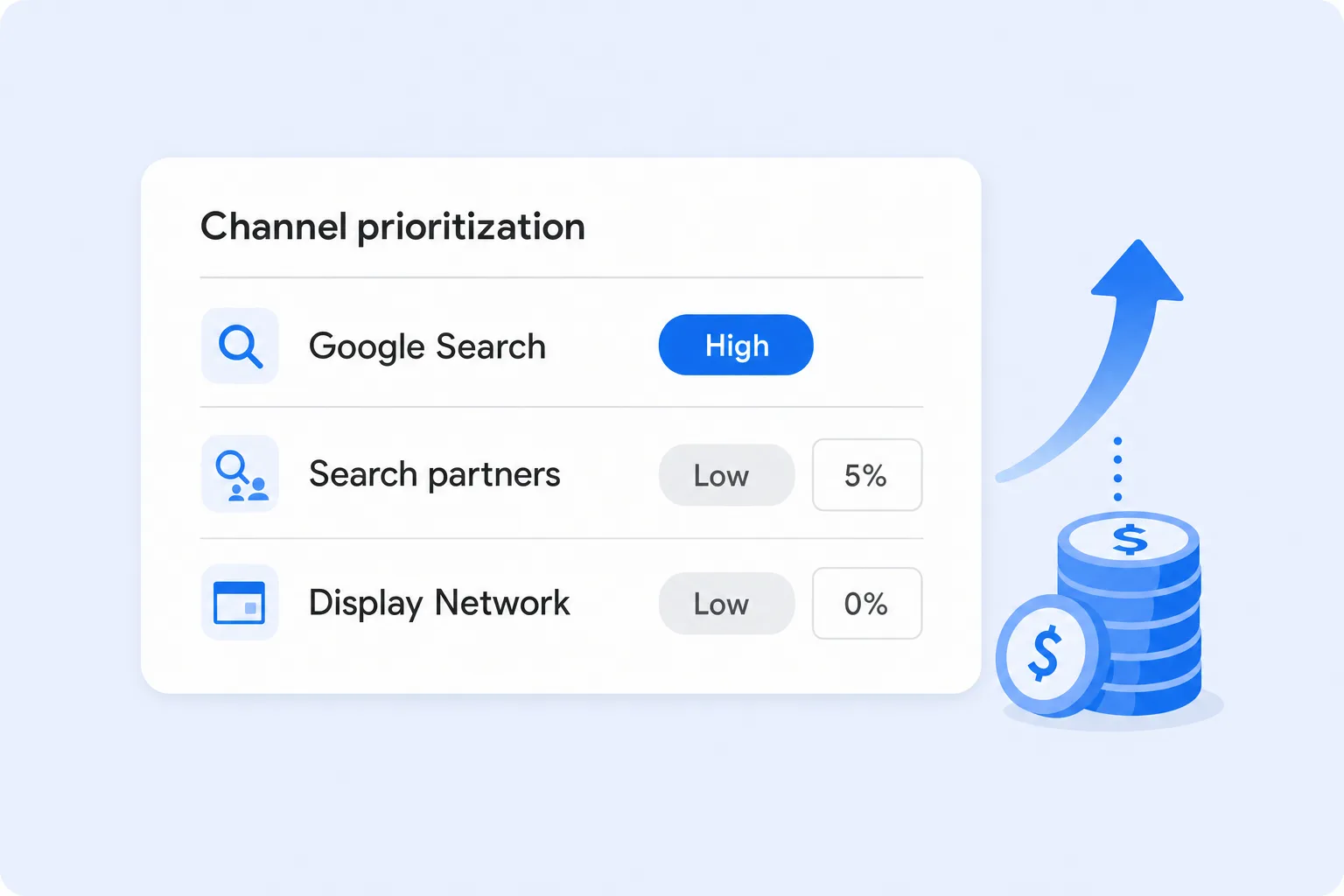
Channel prioritization sorts the places your ads can show into two tiers:
- High priority: Google spends your budget on these channels first. Every channel starts here by default, so nothing changes until you move a channel down.
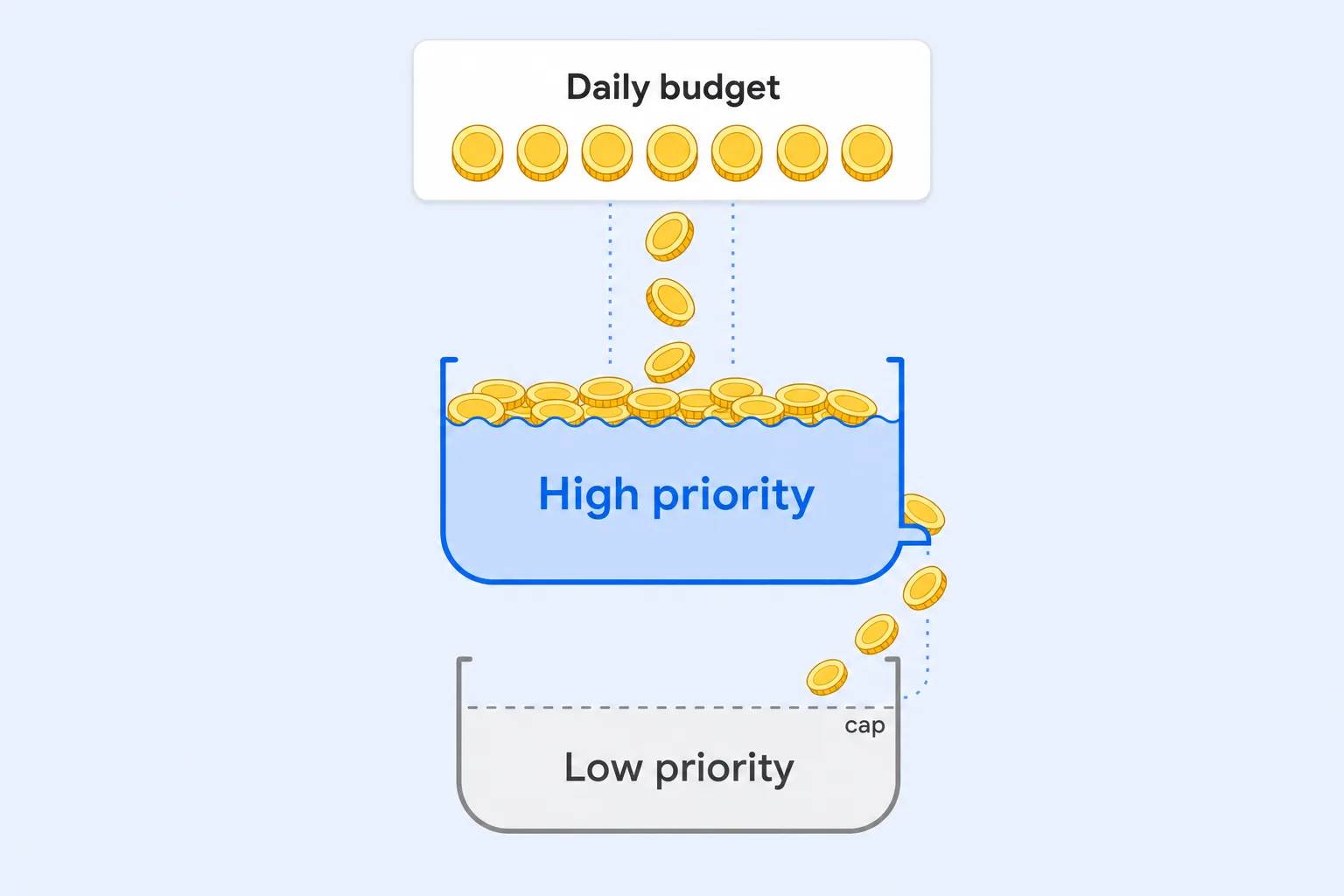
- Low priority: Google spends here only after your High priority channels are funded. Google positions this as an option for channels you value less but don't want to shut off entirely.
You can set priorities once at the account level as a default for each campaign type, then override them for a single campaign or a shared budget. The setting lives in a new "Channel Prioritization" card in both Account settings and campaign Settings.
Which Channels You Can Prioritize
The channels you can rank depend on the campaign type:
- Search campaigns: Google Search, Search partners, and the Google Display Network, each set separately.
- Shopping campaigns: Google Search and Search partners.
- Performance Max: "Google channels," Search partners, and the Google Display Network.
- Demand Gen: "Google channels" and the Google Display Network.
In Performance Max and Demand Gen, Google bundles Search, YouTube, Maps, Gmail, and Discover together as one "Google channels" tier. That means you can't rank YouTube below Search inside a Performance Max campaign. What you can do is push third-party inventory (Search partners and Display) below Google's own properties. If you need control over individual Google surfaces, you still need separate Search or Demand Gen campaigns.
Budget Allocation: The Percentage Cap
Once a channel is set to Low priority, you can add a budget allocation percentage. Google will aim to keep that channel's daily spend at or below that share of the campaign's average daily budget.
Google's example: a 5% allocation on a $1,000 average daily budget means Google aims to spend no more than about $50 a day on that channel. A few details matter:
- It's based on budget, not spend: the percentage is calculated from your average daily budget, not what the campaign actually spent that day.
- It resets daily: unspent or overspent amounts don't carry over to the next day.
- 0% means off: setting a Low priority channel to 0% tells Google not to spend on it at all. This works even in Performance Max, which has never had a simple Search partners opt-out.
- It's best effort: Google says spend "may occasionally exceed" the cap. Treat it as a strong guideline, not a hard limit.
When It Actually Changes Your Spend
This is the part most advertisers miss. Channel prioritization is a budget control, not a bidding control. It only changes behavior when there isn't enough budget to go around. How much it matters depends on your bid strategy:
- Target CPA or Target ROAS, not limited by budget: priority generally does nothing. The campaign is already bidding on every auction that meets your target, across all channels. Only the budget allocation cap changes anything here.
- Target CPA or Target ROAS, limited by budget: High priority channels spend first, within your target. Budget only moves to Low priority channels when they can still convert at your target, and the cap still applies.
- Maximize conversions, Maximize conversion value, Maximize clicks, Manual CPC, Target impression share: High priority channels spend the budget first. Whatever they can't use goes to Low priority channels.
So if your campaign runs on Target ROAS with plenty of budget, flipping Display to Low priority won't change much on its own. Adding a percentage cap is what does the work.
The February 2027 Change for Search Campaigns
If you run Search campaigns with "Include Google Display Network" turned on (Display expansion), this setting isn't optional. Starting in February 2027, those campaigns will automatically move to channel prioritization, and Google says the current spend allocation setup will go away. Spend between Google Search, Search partners, and the Display Network may shift.
Google's recommendation to keep things roughly the same is to set the Display Network to Low priority with a 50% budget allocation. Two other notes:
- Target impression share campaigns: after the change, the Display Network will no longer serve on Search campaigns using Target impression share.
- Changing early applies right away: if you set channel priorities on a Search campaign before February, the new settings replace the old Display expansion behavior immediately.
Honestly, we don't think 50% of a Search budget should go to Display for most businesses. If you're going to touch this setting anyway, it's a good moment to decide what you actually want. We covered why in Search Partners and Display Expansion: Two Google Ads Settings That Waste Your Budget.
How to Set It Up
To set account-wide defaults:
- Open Account settings: in Google Ads, go to Admin, then Account settings, and find the Channel Prioritization card.
- Pick a campaign type: choose Search, Shopping, Performance Max, or Demand Gen. Each type has its own defaults.
- Assign priorities: set each channel to High or Low priority.
- Add caps (optional): for Low priority channels, enter a budget allocation percentage, then save.
To override the default for one campaign, open the campaign's Settings, expand the Channel Prioritization card, and select "Use campaign-level settings." If the campaign uses a shared budget, the change applies to every campaign on that budget.
A few limits to know before you start:
- No manager account setting: you can't set priorities from an MCC. Each account has to be configured on its own.
- Interface first: the controls are in the Google Ads interface and Search Ads 360. Google says Google Ads Editor support is coming soon.
- Demand Gen: you can set priority, but budget allocation caps aren't supported.
- Campaign total budgets: channel prioritization only works with campaign total budgets in Demand Gen. Other campaign types using a total budget ignore it.
- Shared budgets: every campaign on the shared budget must be the same type, and the cap applies to the shared budget as one pool.
- Rollout varies: if you don't see the card yet, it hasn't reached your account.
How We Recommend Using It
The right setup depends on your goals, but here's where we'd start:
- Search campaigns: keep Google Search at High priority. If you want to test Search partners, set them to Low priority with a small cap like 5% to 10%. If Display expansion is on, either turn it off or set Display to Low priority with a low cap. Don't just accept the 50% default in February.
- Performance Max: set Search partners and Display to Low priority. Ecommerce brands running Performance Max for sales can give them a modest cap and watch return on ad spend. Lead generation accounts, where low-quality form fills are a real risk, may want to start at 0%.
- Shopping campaigns: online stores can set Search partners to Low priority with a small cap, then compare conversion value by network before giving it more room.
- Demand Gen: since caps aren't available, use Low priority on Display if YouTube, Discover, and Gmail are where your best results come from.
Whatever you choose, judge it on real outcomes. Segment your campaign reports by network and compare cost per conversion, lead quality, and revenue for each channel. Check placement reports for Search partners and Display, too. A B2B company might find Search partners bring in plenty of form fills but few qualified sales calls, while a local service business might find the opposite. The data, not the default, should decide.
Final Thoughts
Channel prioritization is one of the few recent Google Ads changes that gives advertisers more control instead of less. It turns Search partners and Display from an all-or-nothing decision into a bounded test. It also comes with a deadline: if your Search campaigns use Display expansion, plan your settings before February 2027 so Google doesn't decide for you.
At Uppertier Marketing, we're reviewing channel priority settings in every account we manage. If you're not sure how your budget is split across channels, schedule a call with our team and we'll take a look.


