
Google Shopping Campaigns: The Best Way to Sell Products on Google
How Shopping campaigns work, why they're built for online sales, and how to set them up alongside Performance Max.
If you sell products online, Shopping campaigns are one of the most important tools in Google Ads. Instead of a text ad, shoppers see your product image, title, price, and store name right on Google, often before they ever click.
Because people see the product and price up front, the clicks you pay for tend to come from shoppers who are already interested. That makes Shopping one of the most efficient ways to drive online sales.
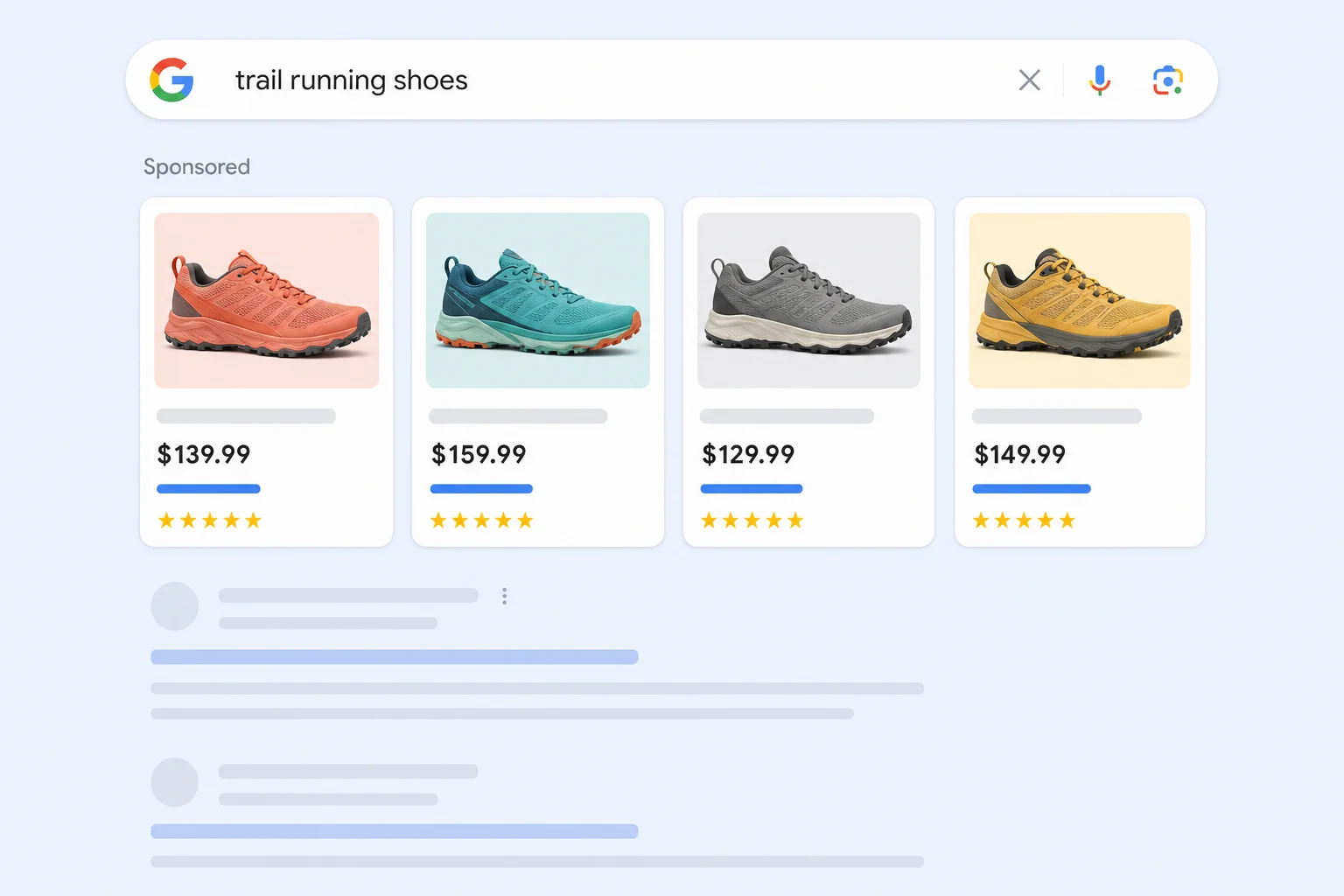
How Shopping Campaigns Work
Shopping campaigns don't use keywords. Instead, Google reads your product data from Google Merchant Center, including titles, descriptions, prices, images, and categories, and matches your products to relevant searches.
To run Shopping ads you need a Merchant Center account with an approved product feed, linked to your Google Ads account. Most ecommerce platforms, including Shopify, WooCommerce, and BigCommerce, can send your products to Merchant Center automatically.
Shopping ads can show on Google search results, the Shopping tab, Google Images, and partner sites.
What Shopping Campaigns Are Best For
- Online sales: Shopping is built for ecommerce. Paired with Performance Max, it's the strongest combination for driving product sales on Google.
- Product discovery: shoppers comparing options can see your products side by side with competitors, including price and reviews.
- Controlling spend by product: you can split products into groups by brand, category, margin, or best sellers and bid differently on each.
- Local inventory: retailers with physical stores can show local inventory ads to shoppers nearby, letting them know a product is in stock at a store close to them.
Why Your Product Feed Matters Most
Since there are no keywords, your product feed does the job keywords normally would. Google decides when to show your products based largely on your titles and descriptions.
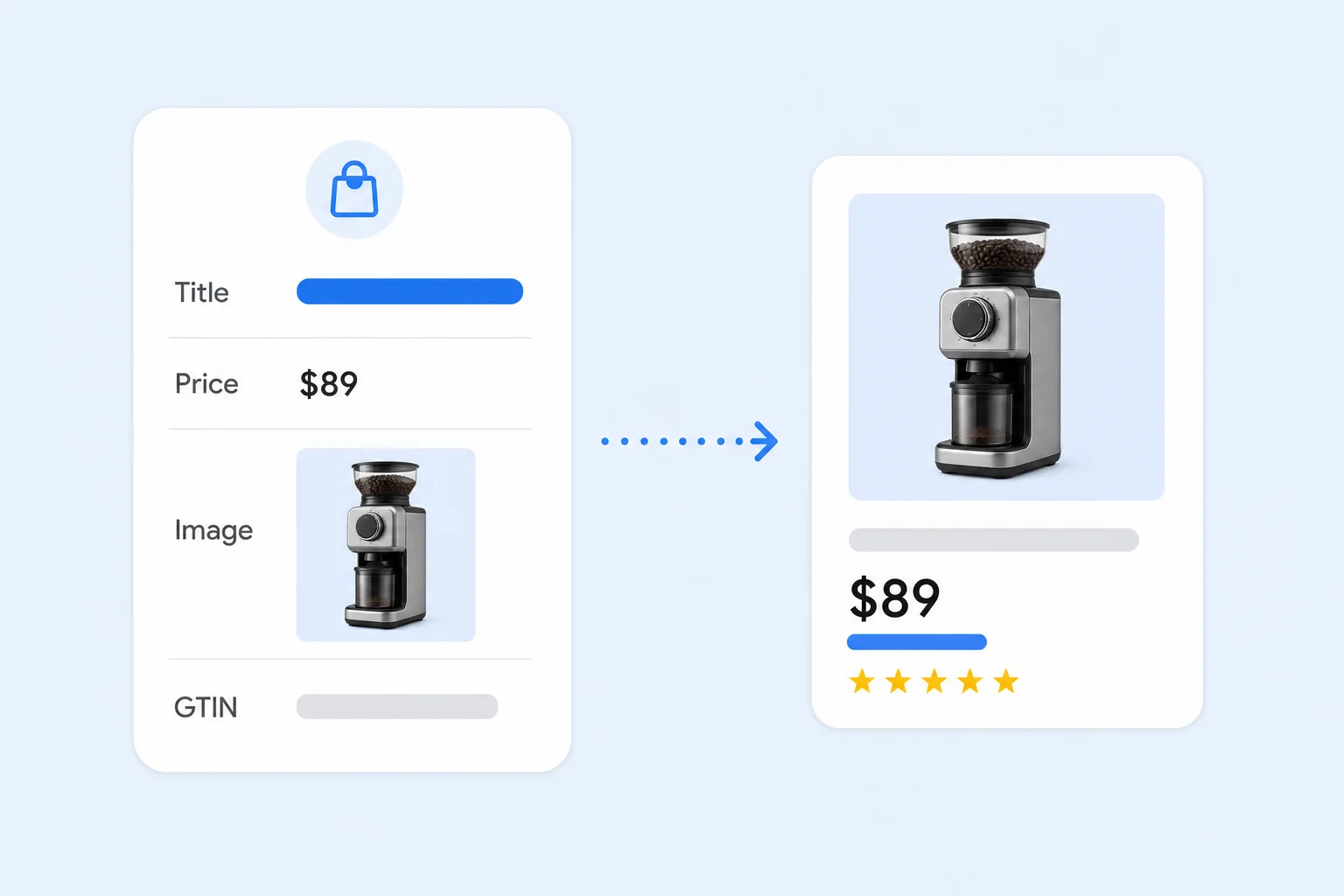
- Titles: put the most important details first, like brand, product type, and key attributes such as size, color, or material.
- Images: use clean, high-quality images that clearly show the product.
- Identifiers: include GTINs or UPCs where they exist. They help Google match your products and can unlock product ratings.
- Categories and product types: accurate categories make it easier to organize campaigns and help Google understand what you sell.
- Price and availability: keep these in sync with your website to avoid disapprovals.
Standard Shopping vs. Performance Max
Performance Max also uses your Merchant Center feed and shows Shopping ads, plus ads on YouTube, Display, Gmail, and Discover. So which one should you run?
For many stores the answer is both. Performance Max is usually the main driver of sales because of its reach and automation. Standard Shopping gives you more visibility and control, with search term data, product group bidding, and the ability to separate products you want to manage closely. Some advertisers use Standard Shopping for specific product lines, testing new products, or keeping a tighter grip on margins.
How to Set Up a Shopping Campaign
- Clean up your feed: fix errors and warnings in Merchant Center and improve titles before launch.
- Set up conversion tracking with values: track purchases with the actual order value so Google can bid for revenue, not just orders.
- Organize product groups: split products by category, brand, or margin so you can see and control performance.
- Choose a bid strategy: start with Maximize Clicks or Maximize Conversion Value, then add a target ROAS once you have enough sales data.
- Add negative keywords: review search terms and exclude searches that don't match what you sell.
Common Mistakes
- Leaving product titles as short internal names instead of descriptive, searchable titles.
- Ignoring Merchant Center disapprovals and warnings.
- Putting every product in one product group with one bid.
- Tracking purchases without order values.
- Setting a target ROAS too high on day one, which limits traffic.
Final Thoughts
If your goal is online sales, Shopping and Performance Max should be the foundation of your Google Ads account. A strong product feed is the single biggest factor in how well they perform.
At Uppertier Marketing, we optimize product feeds, structure Shopping and Performance Max campaigns around margins and best sellers, and bid for revenue. If you want to sell more products on Google, schedule a call with our team.


