
Do You Need AI Max to Show Up in AI Overviews and AI Mode?
AI Max isn't required to show ads in AI Overviews or AI Mode. Here's what it does and which campaigns are eligible.
Google now shows ads inside AI Overviews and AI Mode, the AI-generated answers at the top of Search. Around the same time, Google launched AI Max for Search campaigns. Because the two arrived together, many advertisers assume they're linked: if you want your ads in AI answers, you have to turn on AI Max.
That isn't true. We went through Google's own help documentation to find out what's actually required, and the answer is simpler. AI Max is one way in, but it isn't the only one. If you run broad match keywords, Performance Max, or Shopping campaigns, your ads can already show in AI Overviews and AI Mode.
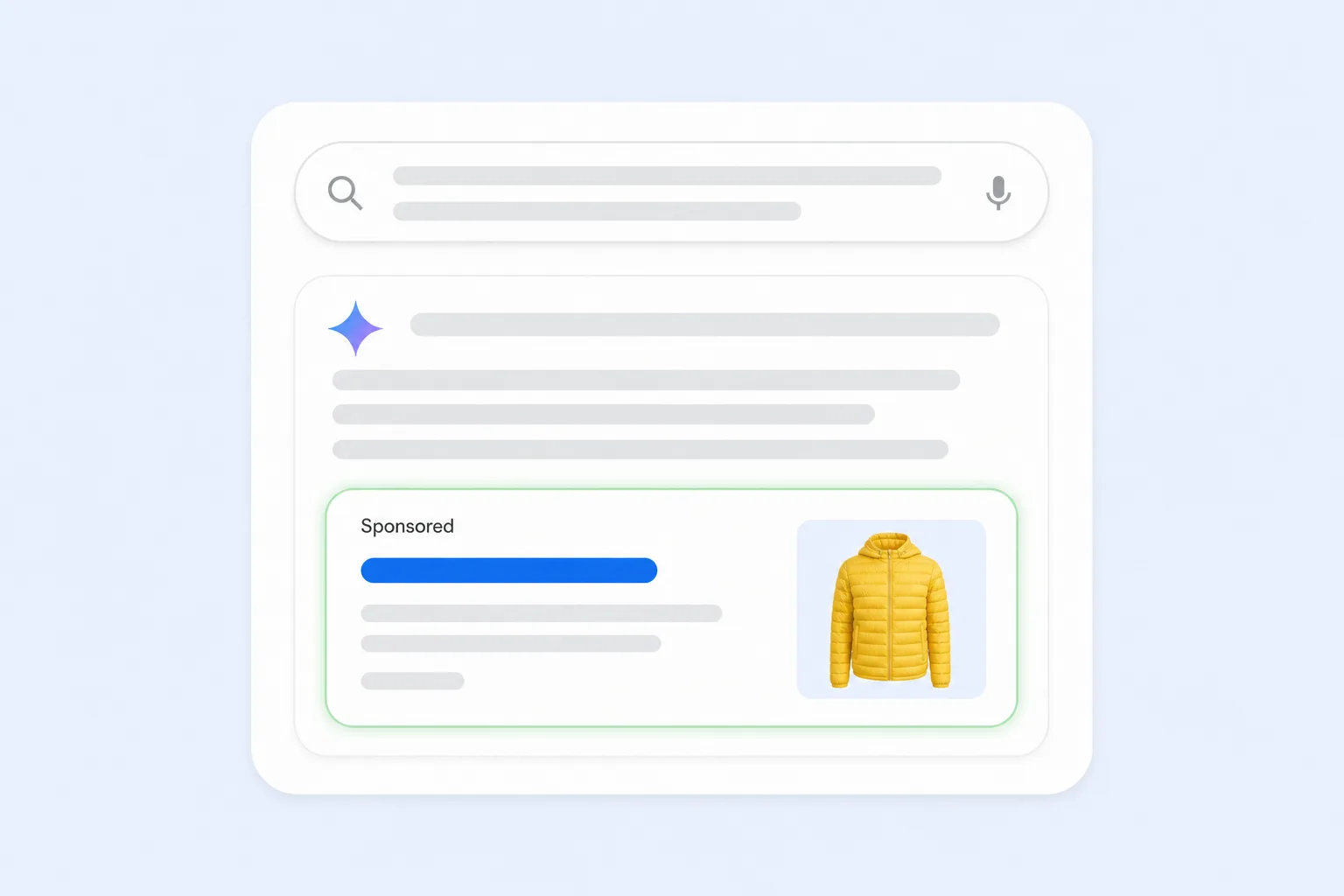
What AI Max Actually Does
AI Max is not a new campaign type. It's a set of features you switch on inside an existing Search campaign. Google describes it as an optimization layer that adjusts targeting and ad creative in real time. Turning it on enables three main features:
- Search term matching: expands your keywords using broad match and keywordless technology, so your ads can match relevant searches you didn't add as keywords. Google learns from your keywords, ads, and landing pages to decide which searches fit.
- Text customization: generates extra headlines and descriptions from your existing ads, landing pages, and assets, then tailors them to each search. This feature used to be called automatically created assets.
- Final URL expansion: sends people to the page on your site most likely to convert for their search, instead of always using the landing page you chose.
AI Max also adds controls and reporting. You can set brand inclusions and exclusions, target by locations of interest at the ad group level, and include or exclude specific URLs. In the search terms report, "AI Max" appears as its own match type, so you can see which searches it added.
One note from Google: AI Max won't be effective if a campaign is limited by budget.
The Misconception: "You Need AI Max to Show in AI Answers"
Google's help article on ads in AI Overviews and AI Mode is clear about eligibility. Existing Search, Shopping, and Performance Max campaigns are automatically eligible to show ads there. You don't need a new campaign, a separate budget, or a special setting. AI Max isn't listed as a requirement.
There's also no opt-in or opt-out. Google treats AI Overviews and AI Mode as core parts of Search, so you can't target them on their own or exclude them separately. If your campaign is eligible and relevant, it enters the same auction.
What Determines Whether Your Ad Can Show
The deciding factor is how your campaign finds searches. Google matches ads in AI answers in two ways.
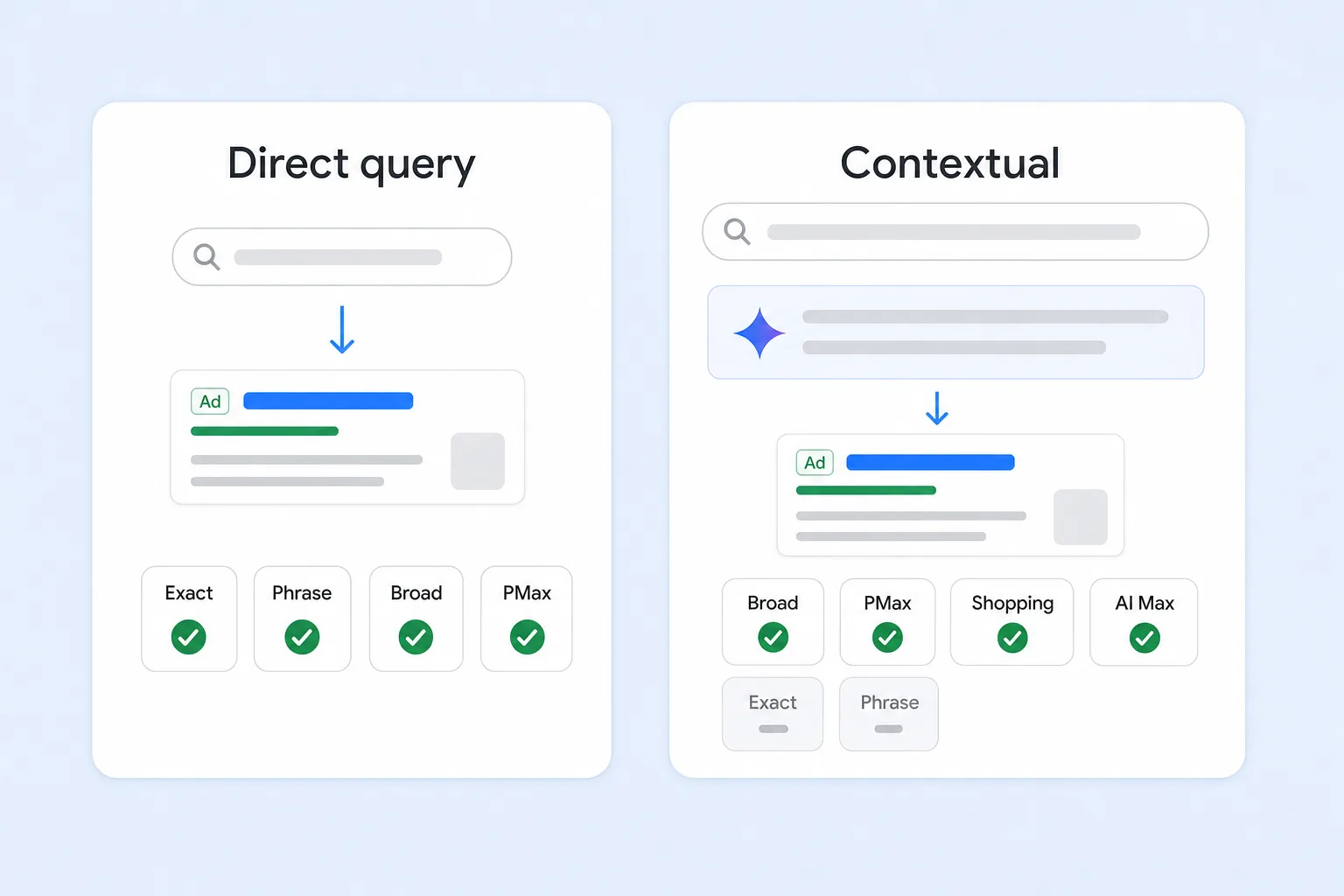
- Direct query matching: the search itself shows clear buying intent, like "running shoes for flat feet" or "payroll software for small business." Ads are matched to the search the same way they are on a normal results page.
- Contextual matching: someone asks a longer, exploratory question, and buying intent shows up in the AI answer. Google's example is "why is my pool green and how do I clean it?" The answer covers testing, brushing, and vacuuming, so Google can show ads for pool vacuums or algae treatment, even though the person never searched for a product.
Which campaigns qualify for each:
- Broad match, Performance Max, Shopping, and AI Max: eligible for both direct query matching and contextual matching. Google groups these together as "AI-powered targeting."
- Exact and phrase match: eligible only when the search shows direct buying intent. They aren't eligible for contextual matching on broader, conversational questions.
So the real requirement is a targeting strategy that lets Google match beyond your exact keywords. Broad match keywords do that. Performance Max does that. Shopping campaigns do that. AI Max does it too, but it's one option among several.
Why This Matters
Searches in AI Overviews and AI Mode tend to be longer and more conversational than traditional searches. A B2B buyer might ask how to compare two types of software. A shopper might ask what to look for in a winter jacket. A homeowner might ask why their pool turned green. Many of these questions never include a product keyword, so exact and phrase match can't reach them.
If your account is built entirely on exact and phrase match, you'll mostly miss those conversations. You don't have to switch on AI Max to fix that. Adding broad match keywords to a Search campaign, or running Performance Max or Shopping alongside it, makes you eligible.
When AI Max Is Still Worth Testing
AI Max can still be useful. It bundles broad matching with ad copy and landing page automation, and it adds brand and location controls that plain broad match doesn't have. It tends to suit:
- Accounts with strong conversion tracking: AI Max relies on Smart Bidding and accurate conversion data to decide which new searches are worth paying for.
- Websites with many relevant pages: final URL expansion works best when your site has clear, specific pages for each product or service.
- Campaigns that aren't limited by budget: AI Max needs room to explore new searches.
It can be a weaker fit if you need tight control over ad copy or landing pages, for example in regulated industries or when every message needs approval. With final URL expansion on, Google won't always respect pinned headlines, because the ad copy has to match the page it picks.
How to Get Your Ads Eligible for AI Answers
- Use AI-powered targeting: add broad match keywords to Search, or run Performance Max or Shopping. AI Max with search term matching is another option.
- Pair it with Smart Bidding: use conversion- or value-based bidding so Google can judge which exploratory searches are worth bidding on.
- Track the right conversions: broad targeting learns from your conversion data. Count real sales, qualified leads, and calls, not page views.
- Keep your negatives and exclusions: negative keywords and brand exclusions still apply to ads in AI Overviews and AI Mode.
- Keep product feeds complete: for ecommerce, accurate titles, descriptions, images, prices, and shipping details in Merchant Center help Shopping ads appear in AI answers.
- Keep your website clear and current: Google may show a short AI-written explanation alongside your ad, using your website as a source.
Common Questions
Do I pay more for ads in AI Overviews? No. They use the same auction and the same bidding as standard Search ads, with no extra charge.
Can I see how my ads perform in AI answers? Not separately. Results are included in your normal campaign reports and search terms report.
Does running ads help my business appear in the organic AI answer? No. Google says ads don't influence organic AI responses, and being cited organically doesn't affect your ad eligibility.
Where are ads in AI answers available? Ads inside AI Overviews and AI Mode are currently in English in the United States and a growing list of other countries. Ads above or below AI Overviews can show wherever AI Overviews are available.
Final Thoughts
You don't need AI Max to show up in AI Overviews or AI Mode. What you need is a targeting strategy that lets Google match your ads to longer, conversational searches: broad match, Performance Max, Shopping, or AI Max. Combine that with Smart Bidding and accurate conversion tracking, and your ads are eligible to show in AI answers.
At Uppertier Marketing, we review keyword strategy, match types, and campaign mix to make sure accounts are set up to reach people however they search. If you're not sure whether your campaigns can show in AI answers, schedule a call with our team.


